Smart home
How to Use Your iPhone as a Bedside Clock at Night
Your iPhone can sit on the nightstand as a dim, glanceable clock, either with Apple’s StandBy while it charges on its side or with a nightstand mode in a clock app. Set up well, it shows the time at a glance, so you never have to pick up a bright phone in the middle of the night.
Key takeaways
- A dim, glanceable clock gives you the time without the bright screen and the notifications.
- StandBy and nightstand mode apps both do the job. Choose by how much control you want.
- Keep it dim, plugged in, on a hard surface and angled away from your face.
- A spare iPhone or iPad makes a good dedicated bedside clock.
Why a dim clock beats checking a bright phone
Checking the time on a phone is rarely just checking the time. You lift it, the screen lights up at close range, and a row of notifications is waiting. A quick glance turns into a few minutes of reading, and now you’re properly awake.
Light is part of the problem. In a small lab study, people who read on a light-emitting device before bed took about 10 minutes longer to fall asleep, released melatonin later and felt less alert the next morning than when they read a printed book.1 That study used bright screens for four hours, which is nothing like a glance at a clock, but it shows that light at night isn’t neutral. There is more in whether screens before bed really hurt your sleep.
The content matters as much as the light. A dedicated clock display shows the time, perhaps the weather and your next alarm, and nothing that asks for a reply. That is the real advantage.
Option one: StandBy on iPhone
StandBy is Apple’s built-in answer. When an iPhone is charging and set down on its side, it can switch to a full-screen display with a clock, widgets or photos, designed to be read from a distance. It adapts to a dark room so it isn’t glaring at night.
It’s the quickest route because there is nothing to install: put the phone on a stand or charger in landscape and it appears. How long the display stays lit overnight depends on your iPhone model and settings, so try it for a night before relying on it. Widgets from other apps can appear in StandBy as well, as described in adding widgets, Live Activities and StandBy.
Option two: a nightstand mode in a clock app
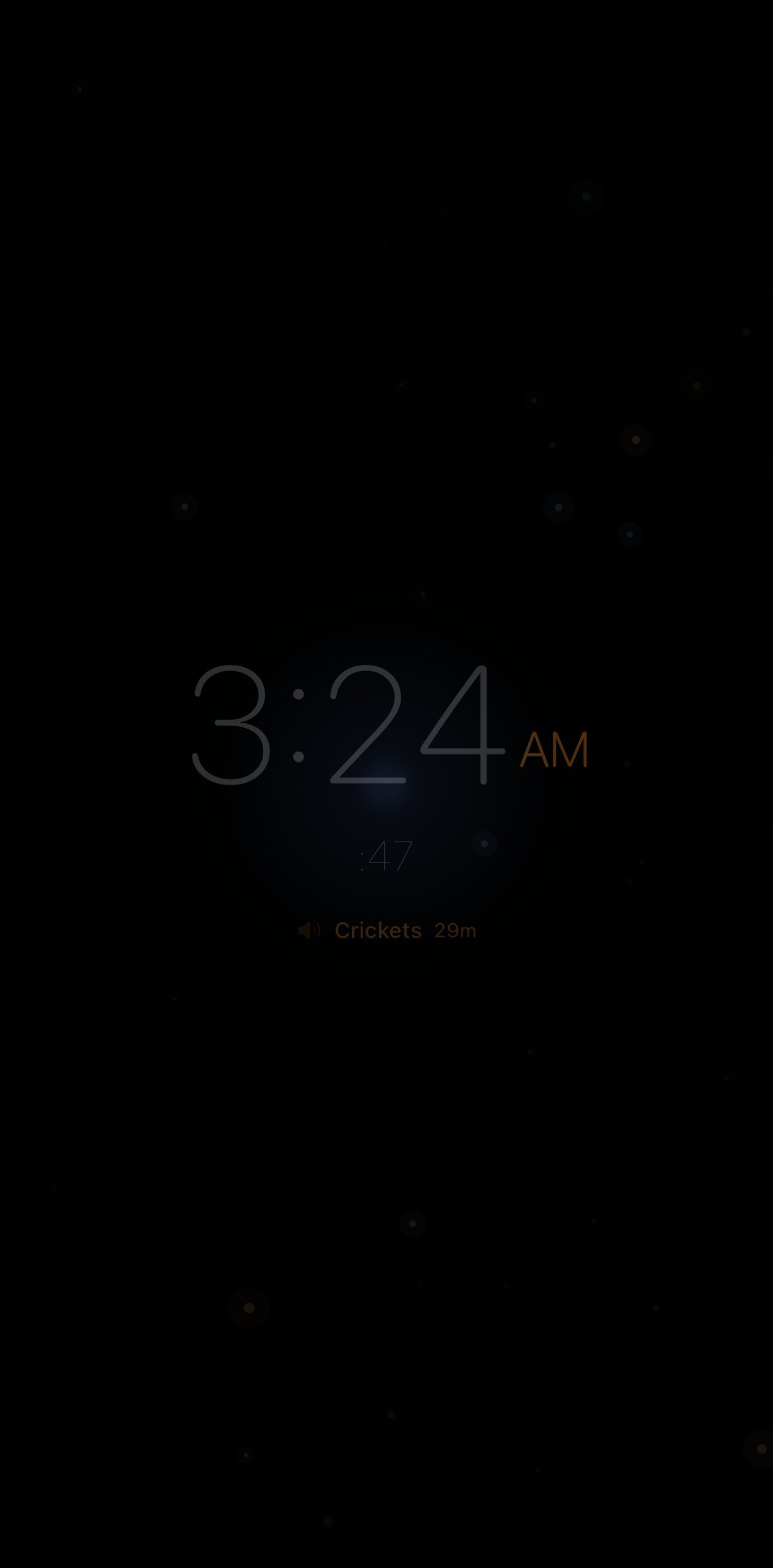
The alternative is an app with a dedicated bedside mode. These keep the screen on and dimmed while the app is open, and they typically give you more say over how the clock looks and what sits beside it, such as an alarm countdown or the weather.
Choose this route if you want a particular look, want the clock tied to the alarm and sleep features you already use, or want it on an iPad. The trade-off is that the app has to stay open on screen, so it suits a phone that will stay on its stand until morning.
Brightness, heat and charging: getting the basics right
A screen that stays on all night needs a little care. None of it is complicated, and most of it comes down to keeping the display dim and the phone cool.
- Go dimmer than you think. In a dark room, the lowest setting you can still read is the right one. Dark backgrounds with warm or red digits are the least intrusive.
- Keep it plugged in. A display that stays on will drain a battery overnight; on a charger it doesn’t matter.
- Give it air. A phone that is charging with the screen on runs a little warm. Stand it on a hard surface, never on bedding or under a pillow, and take off a thick case if it feels hot.
- Try a cable if it runs warm. Wireless chargers tend to produce more heat than wired ones, so a cable and a simple stand are the cooler combination.
- Leave battery protection on. iOS includes features designed to reduce battery wear during long overnight charges, and there is no reason to disable them.
Where should the phone sit?
Aim for visible but not reachable. If you can read the clock by opening one eye, but have to sit up to touch the phone, you get the time without the temptation to scroll.
Angle the screen slightly away from your pillow so it’s readable when you look for it and out of your direct line of sight when you don’t. If you share the bed, check what your partner can see from their side.
Two practical notes. If you track sleep with the phone’s microphone, keep the phone on the nightstand with the microphone unobstructed; the guide to tracking sleep with just an iPhone covers placement. And if you fall asleep to rain or white noise, the same spot works for sleep sounds with auto-stop.
Using a spare iPhone or iPad
An old iPhone in a drawer makes an excellent dedicated bedside clock, and it lets your everyday phone charge in another room. With no messages or social apps on it, there is nothing to pull you in at night.
Set it up as a single-purpose device: silence notifications or sign out of what you don’t need, keep it permanently on a stand and charger, and leave the clock app open. An iPad does the same job with a bigger face, which helps if you can’t read small digits without your glasses.
Check two things first. The app you want has to support the device’s software version, and a battery that has lived on a charger for years deserves an occasional look. If an old device’s screen lifts or its case starts to bulge, stop using it and have it recycled properly.
Where to start tonight
Put the phone on a stand beside the bed, plug it in, and turn it on its side to try StandBy, or open a nightstand mode and pick the dimmest design you can read. Angle it away from your pillow, set your alarm, and leave it there until morning.
When the alarm goes off, reverse the night’s rule and open the curtains, because morning daylight is a strong timing signal for your body clock.2 If you’d like the room itself to join in, the next step is a sunrise alarm built from your smart lights.
Frequently asked questions
Does iPhone have a nightstand mode?
Yes, in two forms. Apple’s StandBy turns an iPhone that is charging and resting on its side into a display with a clock and widgets. Clock and alarm apps can also offer their own nightstand mode, which keeps the screen on and dimmed with a design you choose. Both are meant to be used while the phone is plugged in.
Is it bad to leave my iPhone screen on all night?
It is generally fine if the phone is charging, kept dim and resting on a hard surface where warmth can escape. Avoid high brightness, soft bedding and thick cases that trap heat, and leave the battery-health features in iOS switched on. If the phone feels hot to the touch, lower the brightness or move it somewhere with more air around it.
Will a bedside clock display disturb my sleep?
A very dim clock in warm or red tones, turned slightly away from your face, is unlikely to bother most people. Bright screens close to the eyes are the bigger concern. If you find yourself watching the minutes when you cannot sleep, turn the display away or switch it off. For some people, not seeing the time is more restful.
Can I use an old iPhone or iPad as a bedside clock?
Yes, and it is a good use for one. Keep it plugged in on a stand, silence notifications or sign out of the accounts you do not need, and leave a clock or nightstand app open. Check that the app you want supports the device’s software version, and stop using any old device whose case or screen starts to bulge.
Sources
- Chang AM, Aeschbach D, Duffy JF, Czeisler CA. Evening use of light-emitting eReaders negatively affects sleep, circadian timing, and next-morning alertness. PNAS, 2015. doi.org/10.1073/pnas.1418490112
- Wright KP, et al. Entrainment of the human circadian clock to the natural light-dark cycle. Current Biology, 2013. doi.org/10.1016/j.cub.2013.06.039